 Cratebird
Make a playlist
out of that.
Tell your AI agent what you want to hear. On Mac, Cratebird lets it find songs and build playlists in Apple Music. On iPhone and iPad, turn a song list you found online into a playlist.
Available on the App Store for iPhone, iPad, and Mac.
US$1.99 for Mac, iPhone, and iPad. Pay once.
Requires an Apple Music subscription and Sync Library.
Check device and agent requirements

“Make me a late-night walking playlist that feels like a film soundtrack.”
Try this with your AI agent after connecting Cratebird on Mac.
Ask for what you want.Review the songs before asking your agent to add them.
You already have
something in mind.
Maybe you know how dinner should feel, but not what to play. Maybe a writer just recommended twenty songs you want to hear. Cratebird helps you get from that thought to a playlist you can put on.
Read about it.
Then listen to it.
Found a promising song list in an article or a public Spotify playlist? Share the page from Safari or paste its link into Cratebird. It looks up the songs in Apple Music, saving you a search for every title.
Choose the recordings you want, skip anything that doesn’t appeal, and save the playlist to your library. You can save a page for later, too, and come back when you have time to listen.
Cratebird reads song lists on your device. On supported devices, Apple’s on-device AI can help with unfamiliar layouts. You don’t need to set up an AI agent on iPhone or iPad.
Learn how to import a song list1Share the page
A slow Sunday
Four songs for a day with nowhere to be.
- Sunday WindowsThe Ribbon Quartet
- A Little LongerMira & the Lanterns
- Between the PagesNorthbound Paper
- Nowhere to BeTheo Willow
2Choose the songs
Cratebird · Review SongsA slow Sunday
Review the Apple Music recordings.
- Sunday WindowsThe Ribbon Quartet
- A Little LongerMira & the Lanterns
- Between the PagesNorthbound Paper
- Nowhere to BeTheo Willow
You confirm before anything is added.
3Listen in Apple Music

A slow Sunday
The songs you chose, in their original order.
- 1Sunday Windows
- 2A Little Longer
- 3Between the Pages
- 4Nowhere to Be
Some pages are hard to read or leave out song details. Share the page while it’s open in Safari, or paste the titles and artists into Cratebird. You can edit the text before looking for songs.
Ask for the playlist
you have in mind.
You can be more specific than “dinner music.” Ask your agent for a slow start, a lively finish, or more songs like the ones in a favorite playlist. Cratebird gives it the tools to search Apple Music and work with your playlists.
Your agent can read an existing playlist, suggest what to add, and save your choices to a new playlist or add them to one you already have. Review its picks and use its approval controls before it makes changes.
Connect your agentBring your own AI agent that supports local MCP connections, such as Codex. Cratebird runs on your Mac while the agent uses it. Your agent’s account and any fees are separate.
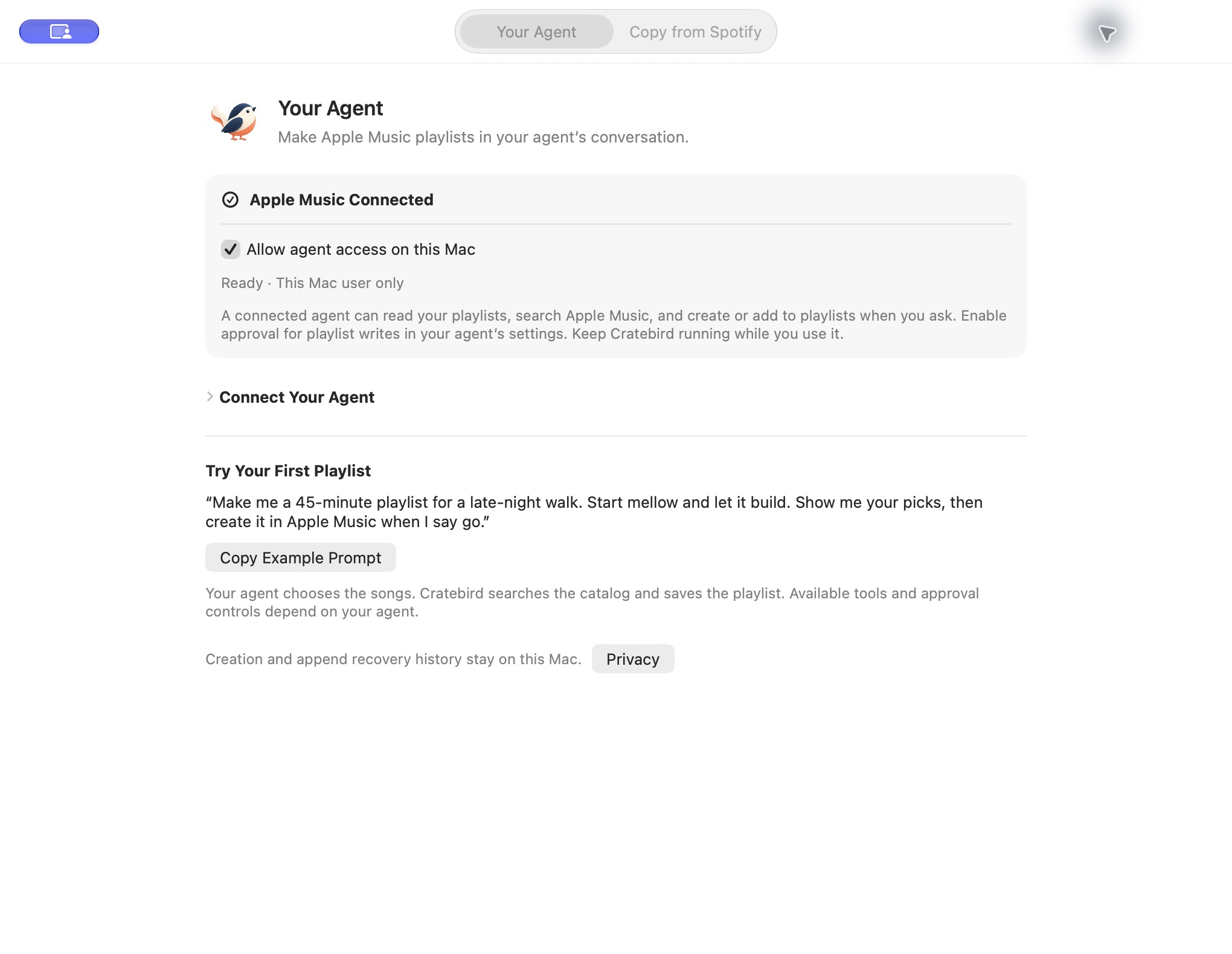
Connect your agent.
Give Cratebird permission to use Apple Music, then follow its setup instructions to connect your agent.
Tell it what to play.
Describe the mood, name a few artists, or ask it to build on one of your playlists.
Review, then create.
Check the song choices and ask for changes. When you’re happy, approve the request to save them in Apple Music.
Get the version
you meant.
A live performance and a studio recording can share a title. When you import a page, Cratebird lets you inspect the suggested recording, search for another version, or leave a song out. You choose what goes into the playlist.
See how to choose a recordingYour listening habits
stay yours.
We don’t collect your music activity or track how you use Cratebird. Your saved pages and playlist history stay on your device. There are no ads.
Apple Music, the websites you import from, and your chosen AI agent handle the requests you send them under their own privacy policies.
Read the privacy policy